Naturalistic Social Preference (NSP)
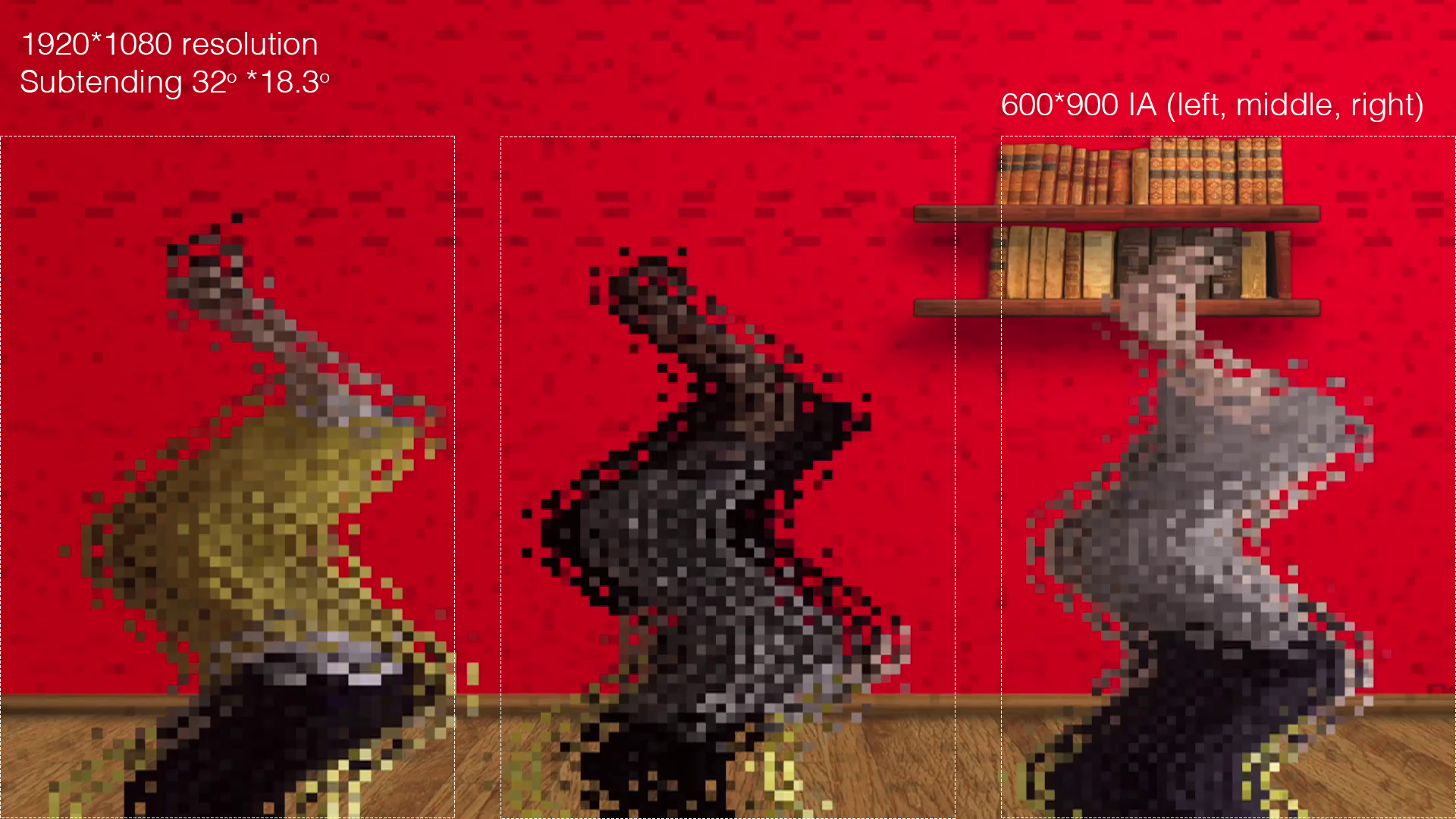
Fig. 4 NSP scrambled condition and interest area placement and sizing.
Overview
the NSP task is a freeviewing task, in which participants can freely view a series of
videos. The videos are matched pairs, termed the Naturalistic and Scrambled conditions.
The Naturalistic videos show 3 women jumping and moving with objects in their hands
(i.e. balloons). The scrambled videos are copies of the Naturalistic videos, but are
pixelated (like that shown in Fig. 4). The videos vary in duration across the pairs
from 21 to 26 seconds. Each video begins with the presentation of the calibration
animation, centrally presented and the trial proceeds when gaze is held within the 200px
diameter interest area surrounding the animation for 50ms. The video order is
randomized. There are ten video stimuli in total (5 of each condition),
all sized to 1920*1080 pixels (the entirety of the screen).
Conditions
- Naturalistic
Video of 3 actors jumping and moving with objects in their hands (i.e. balloons)
- Scrambled
Pixelated copy of the Naturalistic videos
Interest Areas
- Calibration Animation
A central animation that is presented at the beginning of each trial. The trial proceeds when gaze is held within the 200px diameter interest area surrounding the animation for
50ms.- Stimuli Interest Areas
There are three large interest areas (IA) corresponding with the location of each of the actors on the screen, shown in Figure 9. They are labeled
“Left_IA”,“Center_IA”, and“Right_IA”in the Experiment builder file.
Event Messaging
Experiment Builder will send experiment event codes to both the Eyelink and EGI acquisition systems, and the event code patterns differ slightly:
Eyelink Acquisition
Each trial begins with the onset of the calibration dot, which writes the message
"CALIB_ANIMATION_ONSET", and when the invisible boundary trigger fires the message
"GAZE_TO_CALIB" is written. When the video plays the message "SYNC FRAME No. 1"
is written with the corresponding frame of the video as the numeric at the end. In
theory this message could help with the production of dynamic interest areas
(if required) as these could be matched to frame numbers. When the video is complete,
the message "DISPLAY_BLANK" is written, corresponding with the display of the blank
screen ending the trial.
EGI acquisition
EGI Netstation does not support the same event messaging as the Eyelink Host PC, as event codes are generally restricted to 4 characters. The table below shows the corresponding event codes for the EGI Netstation acquisition, and the DIN event triggered by the photo-diode on the screen for each event.
Eyelink Event |
EGI Event |
DIN EGI |
DIN EYELINK |
|
|---|---|---|---|---|
Condition |
Natural |
Scrambled |
||
|
dfns |
dfss |
|
|
|
gfns |
gfss |
|
|
|
dvns |
dvss |
DIN2 |
2 |
|
dbns |
dbss |
|
|